
Repository intelligence for engineering leaders

Know which code risks matter. See what to fix first.

KodeGauge brings repository health, dependency risk, capacity constraints, and estimated business impact into one prioritized report. Investigate findings and review proposed fixes in GitHub.

Inside a KodeGauge scan

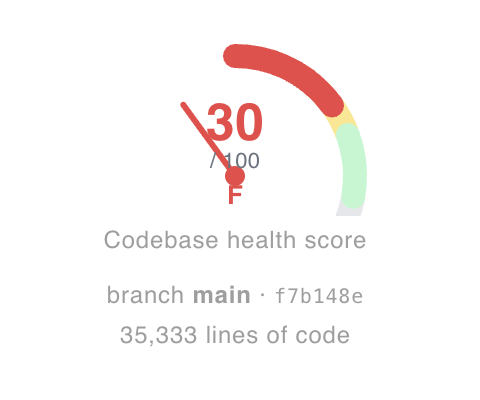
Real interface · sample repository

Example data

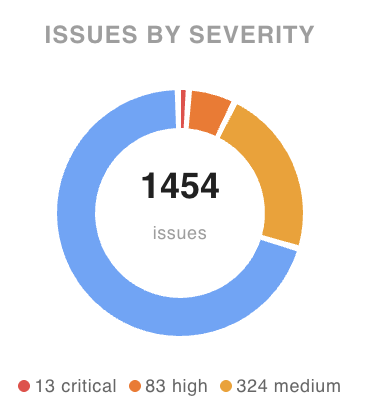
Findings by severity

Example scan issue count and severity chart from the KodeGauge product

Ranked quick win

First quick win in the example scan's ranked findings

Cropped product screens with example data. Findings and scores vary by repository.

Explore a sample scan

Explore a sample scan

From portfolio health to a prioritized plan.

These are product screens with example data. Open any screenshot to inspect the full interface. Figures shown are estimates.

01 / Portfolio

See where attention is needed across repositories.

Start with repository health and the spread of issues, then open the codebase that needs a closer look.

Open full-size screenshot

Swipe to inspect the screen, or open the full-size image.
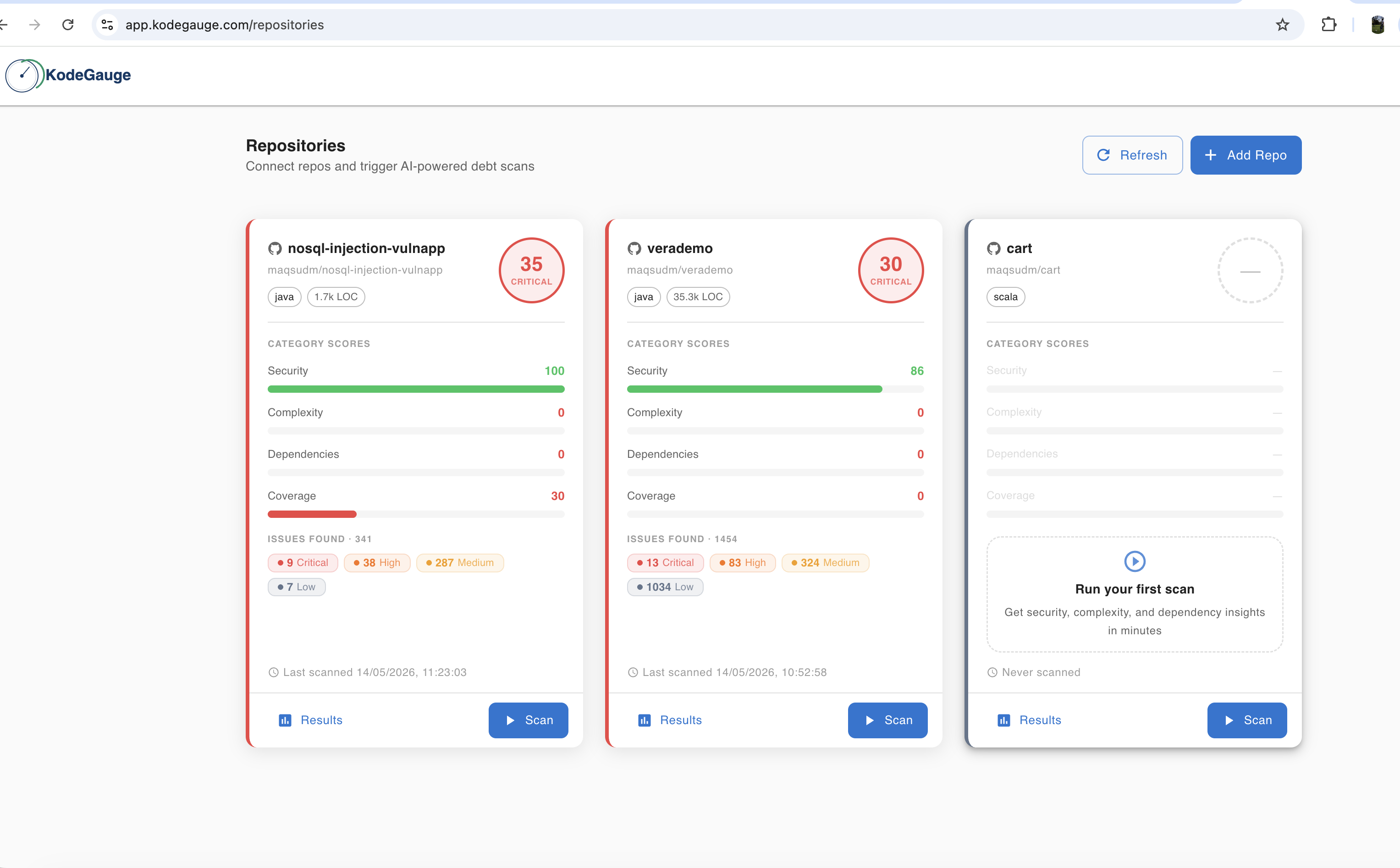
Example KodeGauge repositories screen with health scores and issue counts

02 / Scan report

Put severity and business context in the same view.

A scan brings together issue severity, repository health, and modelled impact so a team can decide what to investigate first.

Open full-size screenshot

Swipe to inspect the screen, or open the full-size image.
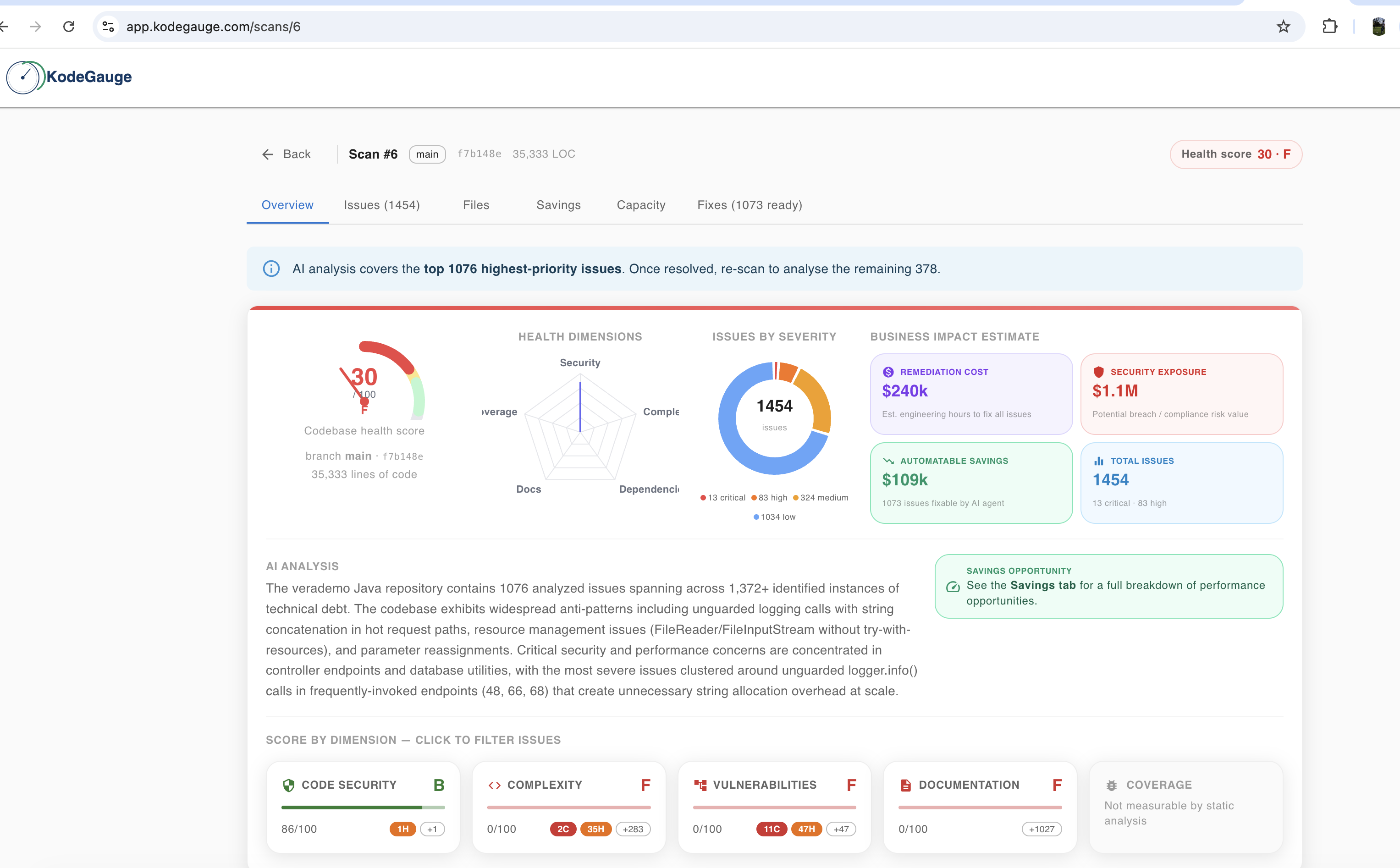
Example KodeGauge scan report with issue severity and business impact estimates

03 / Capacity

Understand where the application may struggle to scale.

Capacity scenarios make the modelled bottleneck and its assumptions visible. They are estimates, not load-test results.

Open full-size screenshot

Swipe to inspect the screen, or open the full-size image.
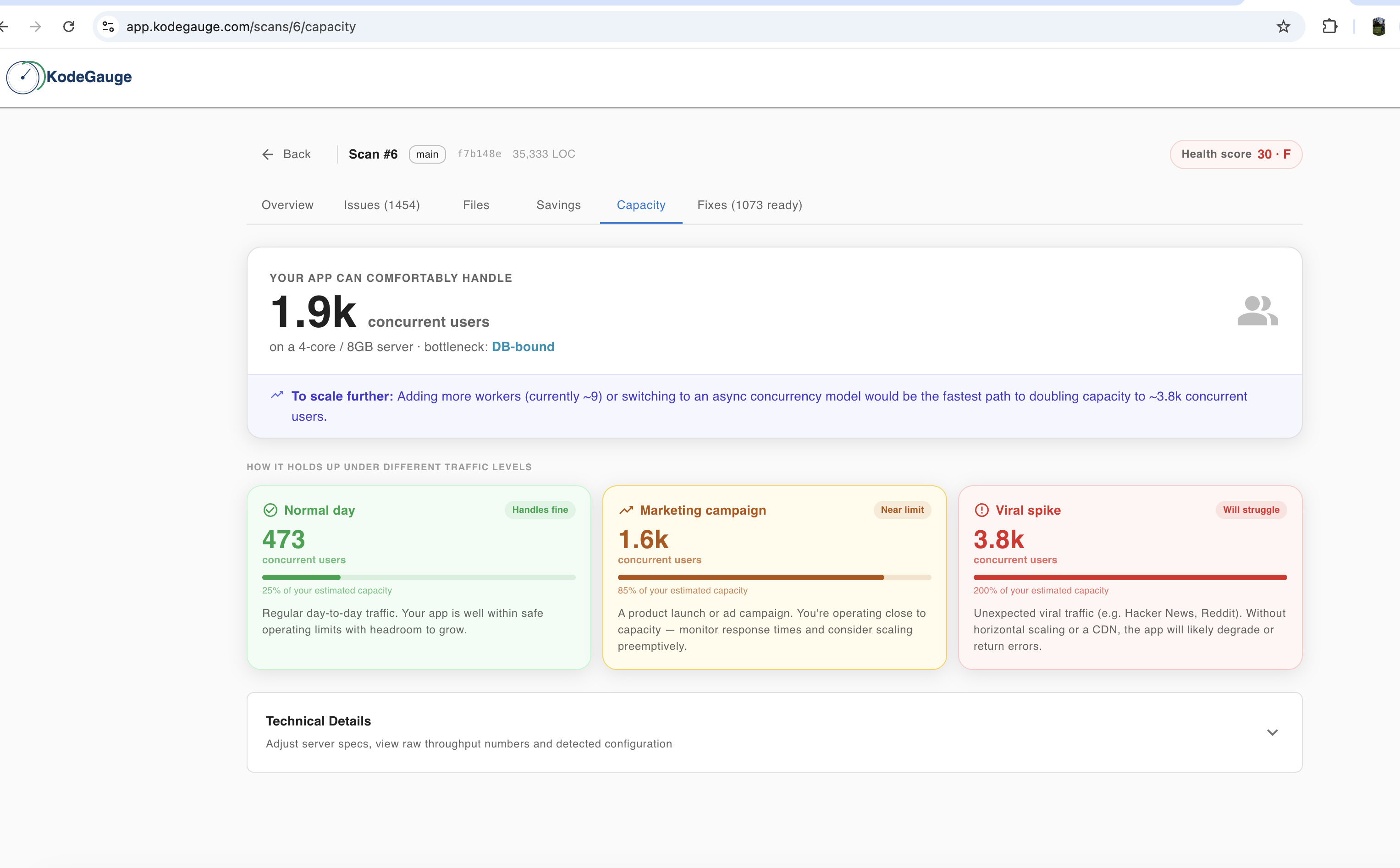
Example KodeGauge capacity screen with estimated concurrency scenarios

04 / Savings

Compare potential impact with the effort to fix it.

See estimated savings alongside development effort and an ordered list of improvements. Actual impact depends on usage and infrastructure.

Open full-size screenshot

Swipe to inspect the screen, or open the full-size image.
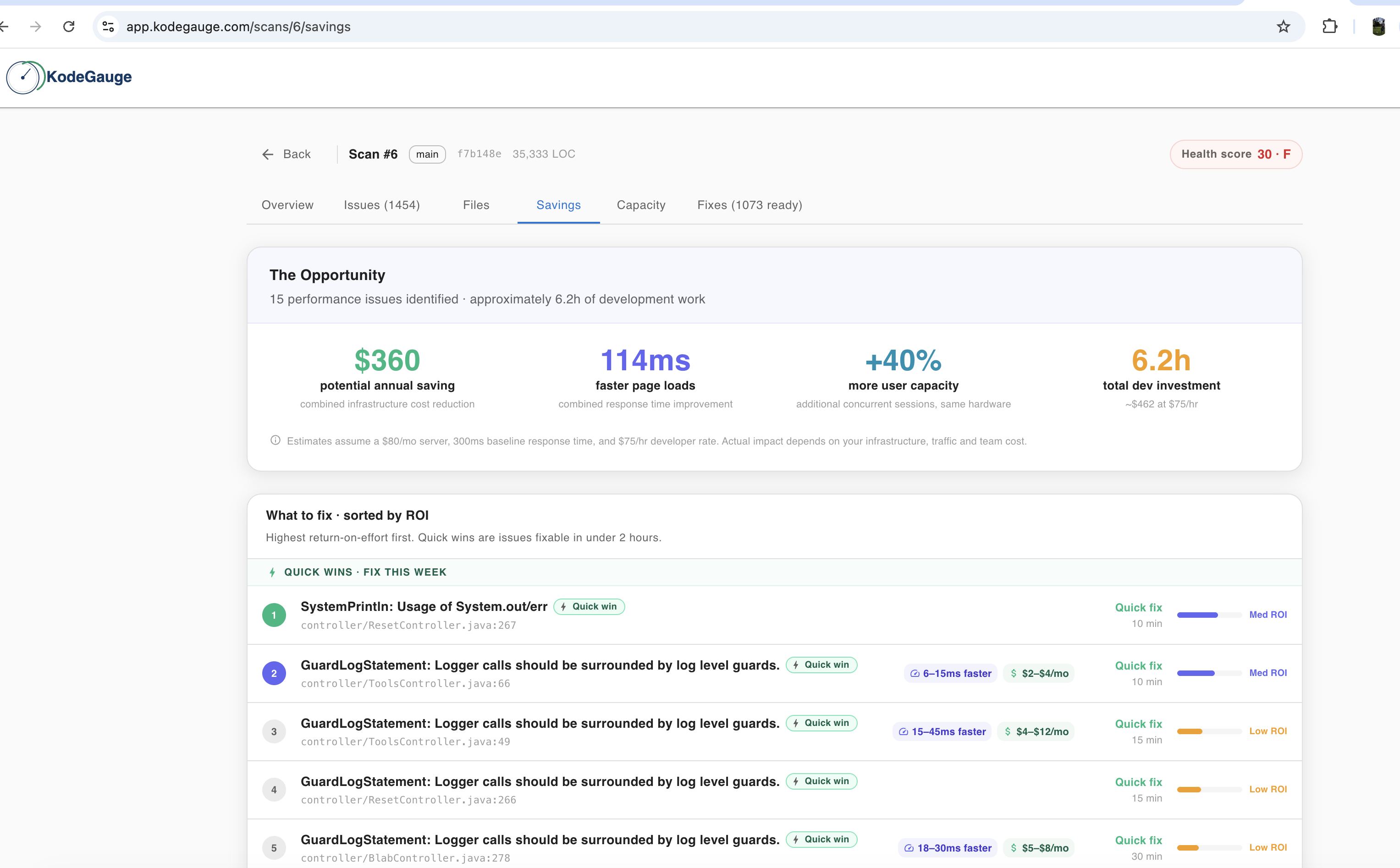
Example KodeGauge savings screen with estimated impact and ranked fixes

How it fits your workflow

From scan to a decision your team can review.

01

See the codebase clearly

Bring repository health, dependencies, and performance findings into one report, with the affected files and issue categories in context.

02

Decide what matters first

Compare severity, exploitability signals, fix effort, and modelled impact. The estimates support prioritization; they are not measured production savings.

03

Keep engineers in control

For changes the product can prepare, review the proposed pull request in GitHub before any merge.

For engineering reviews and technical diligence

Use the report to identify questions worth investigating across a repository or portfolio. Cost and capacity figures are modelled estimates; validate their assumptions against your infrastructure and production measurements before using them for financial decisions.

See what a prioritized scan could reveal.

Walk through the product with your team and discuss the repositories, risks, and decisions that matter to you.